


















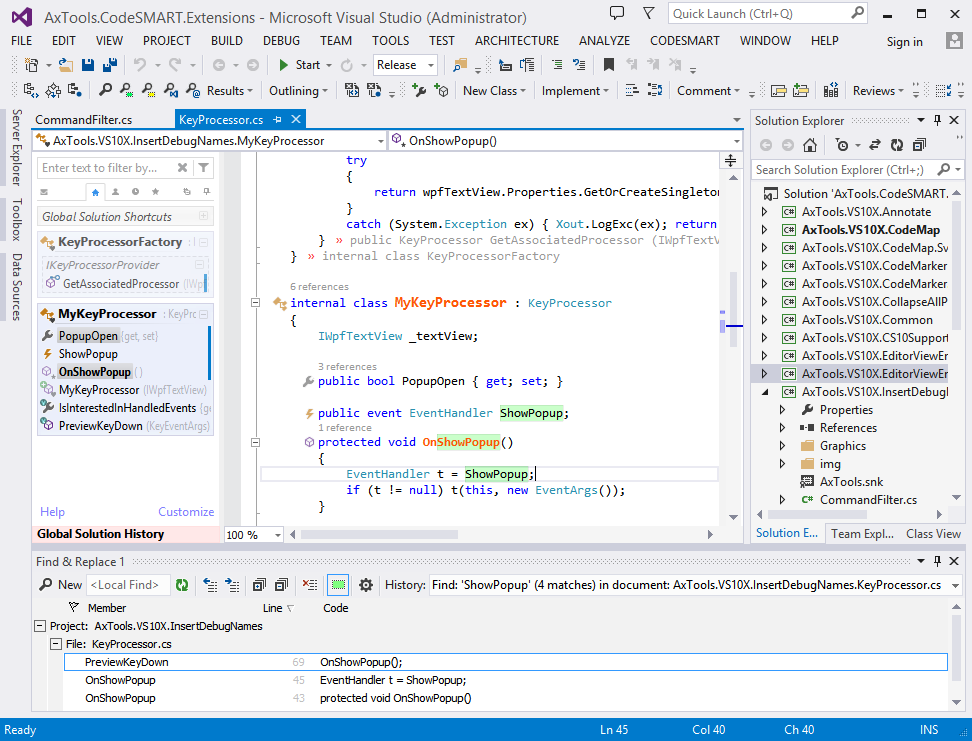


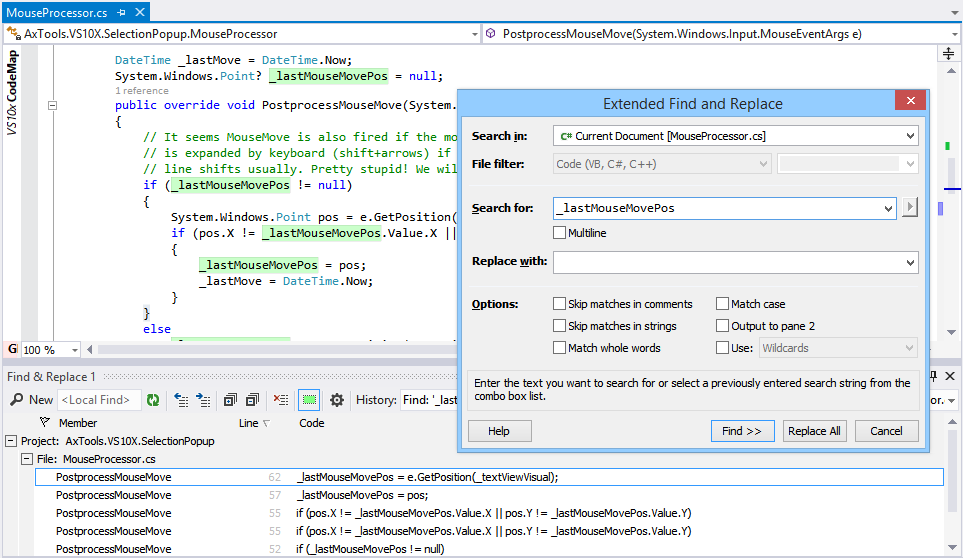
 Two Extended Find and Replace panes hold result lists for two different find/replace operations. Results found within strings and comments (if
these were not configured to be skipped) are displayed by using specific colors. Additionally, a history combo-box can be used to access previous find/replace operations.
Two Extended Find and Replace panes hold result lists for two different find/replace operations. Results found within strings and comments (if
these were not configured to be skipped) are displayed by using specific colors. Additionally, a history combo-box can be used to access previous find/replace operations.
What's New in 'CodeSMART 10 with VS10x Extensions'
(version 10.52, Feb 07, 2015)
- Fixed an uninstaller related issue
What's New in 'CodeSMART 10 with VS10x Extensions'
(version 10.51, Dec 08, 2014)
- Fixed installer problems on non-administrative accounts
- Fixed a problem related to dark theme detection
- Included all fixes and new features in public VS10x Extensions
What's New in 'CodeSMART 10 with VS10x Extensions'
(version 10.50, Mar 03, 2014)
- This is the most significant update (even if it is filed as "minor" in order to have it delivered to you for free) since the original "CodeSMART 10" release.
- Countless UI changes for better user experience and VS 2012/2013 visual compatibility.
- UI fixes in terms of size and control distribution.
- Main menu reorganization, toolbar changes.
- Complete support for themes (dark, blue, light) with automatic detection.
- C# grammar fixes.
- Code Analyzer fixes.
What's New in 'CodeSMART 10 with VS10x Extensions'
(version 10.20, Feb 11, 2014)
- Fixed installation issues on systems with no data access libraries.
- Fixed installation issues on systems where the current user account is non-admin.
- Fixed problems with the main C# and VB grammars - affected subsystems were Code Analyzer and Find References.
What's New in 'CodeSMART 10 with VS10x Extensions'
(version 10.19, Nov 19, 2013)
- Visual Studio 2013 final support.
What's New in 'CodeSMART 10 with VS10x Extensions'
(version 10.18, Oct 28, 2013)
- Visual Studio 2013 preliminary support.
What's New in 'CodeSMART 10 with VS10x Extensions'
(version 10.17, Oct 04, 2013)
- General: VB ternary operators were not supported by the CodeSMART grammars. Fixed.
- General: Fixed item heights in grid results in order to better to cope with HiDPI displays.
- Code Flow Explorer: "Parse error" when clicking on "Analyze" if the method code contained lambda expressions. Fixed.
- Code Flow Explorer: A typo in code was causing missing nodes in the parse tree
- CodeMAP: Added C++ support
- CodeMAP: Added support for partial classes.
- CodeMAP: Added the possibility to set the font size in CodeMAP.
- CodeMAP: CodeMAP sorting can now be set to be case sensitive.
- CodeMAP: CodeMAP now also represents delegates
- CodeMAP: The CodeMAP popup menu is customizable now.
- CodeMAP: Full redesign of the Customize dialog box
- CodeMAP: In order to avoid confusions, type icons are also displayed for container items
- CodeMAP: Filtering the CodeMAP yielded no effects on the "Global Solution Shortcuts" contents. Fixed.
- CodeMAP: Icons for container-type items (i.e. for classes, interfaces, enums, structs, delegates) now have access scope glyphs.
- CodeMAP: Member overrides now have a visual identification tag added to their standard icons
- CodeMAP: Added color labeling support for region items
- CodeMAP: Most settings take effect immediately, i.e. no need to close/reopen the code window
- CodeMAP: Delegates in VB code files were breaking Editor View Enhancer.
- CodeMAP: Both EVE and XC nicely adjust themselves as global font options are changed by the user in the Visual Studio "Options" dialog.
- CodeMAP: When using solution folders to organize projects, Global Solution Shortcuts were not persisted between VS sessions.
- CodeMAP: It was not possible to delete two Global Solution Shortcuts consecutively.
- CodeMAP: Global History now uses the same icon theme as main Code Map items, i.e. VS 2010, VS 2012 Light or VS 2012 Dark, depending on the setting in "VS10x Code Map - Customize"
- CodeMAP: Filtering the Code Map contents (i.e. by using the 'Enter text to filter by...' textbox at the top of Code Map) was not displaying class-type matches.
- CodeMAP: Implemented generic interfaces were incorrectly represented by Code Map if the code document was a Visual Basic file.
- CodeMAP: Event interface implementations were not represented correctly in the Code Map if the code document was a Visual Basic file.
- CodeMAP: In C# documents, filtering was incorrectly including all explicit interface member implementations for implemented interfaces whose names matched the filter.
- CodeMAP: Generics now display the more easily distinguishable short type names instead of CLR names.
- CodeMAP: "Rename" refactoring can now be triggered directly from the Code Map popup menu (i.e. on the selected Code Map item)
- CodeMAP: When opening a C# document of a reasonable size with "active tracking" enabled, if the popup menu was quickly opened (i.e. before the active item was tracked in the Code Map) then any operation launched through that popup menu was executing on the newly tracked item instead of the Code Map selection.
- CodeMAP: Storing CodeMAP settings at project root location failed sometimes.
- CodeMAP: When set to autohide, only the "VS10x Code Map" text area is sensitive to mouse hovering (instead of the entire collapsed margin) for showing the Code Map.
- CodeMAP: Added an option to control how Code Map is shown when in autohide mode, that is hover over the "VS10x Code Map" text label only, or hover over the entire collapsed Code Map vertical bar.
- CodeMAP: Track editor viewport i.e. emphasize all items that are currently in the editor viewport.
- CodeMAP: 'Item is in history' highlight can now use a color label. Customizable.
- CodeMAP: The mini toolbar at the top now draws a tab outline in order to further identify the currently selected view.
- CodeMAP: Code Map can now be enabled/disabled on a language basis (for supported languages, i.e. C#, C++ and VB).
- CodeMAP: Decreased initial scanning time by 10% to 15% by deferring non-essential processing.
- CodeMAP: Code edit window-triggered Code Map refreshes now have an almost zero interference with edits.
- CodeMAP: Emphasize all-time most used code members.
- CodeMAP: Moving a project to a different location caused for color labeled items, history items etc to be lost even if the project-specific data (.vs10x file) was stored at the project location.
- CodeMAP: 'Cut' and 'delete' popup menu operations as well as item 'move' by drag-and-drop could destroy code when the project was not buildable.
- CodeMAP: Completely revised 'cut', 'copy', 'delete' and 'move' operations in terms of messaging and status reporting.
- CodeMAP: Entire sections were disappearing from the Code Map view under certain conditions when the current code document was not buildable.
- CodeMAP: "Sort By Name" now clearly states in the menu that sorting is eventually done with grouping and if case is ignored or not.
- CodeMAP: Items placed at root level were incorrectly processed in terms of global history.
- CodeMAP: Implement fade in / out animations
- CodeMAP: Filtering by item kind
- CodeMAP: Statics items can now be distinguished in the Code Map based on their icon adornment.
- CodeMAP: If both a static and instance constructor were defined for a type, CodeMAP only mounted the first one that it encountered.
- CodeMAP: The behavior on large documents can now be better adjusted i.e. by 1) disabling auto-refresh first at a certain threshold, set to 15,000 lines by default, then 2) completely disabling Code Map parsing at a secondary threshold, set to 30,000 lines by default.
- Super Copy Paste: Severe slowness when pasting items if large amounts of text was previously copied or pasted in VS while VS10x Super Copy Paste was active.
- Super Copy Paste: Paste undo was done in two steps.
What's New in 'CodeSMART 10 with VS10x Extensions'
(version 10.16, Aug 31, 2012)
- General: Some compatibility updates addressing integration with the final release of Visual Studio 2012.
- Code Map, Comments Extender, Editor View Enhancer: Included all updates since March 12, 2012, that were part of separate releases at Visual Studio Gallery (detailed update log on these is available at www.visualstudiogallery.com).
What's New in 'CodeSMART 10 with VS10x Extensions'
(version 10.15, March 12, 2012)
- General: CodeSMART initializes its UI completely on VS11 Beta (i.e. full toolbars and popup menus - okay, not in the new BW theme for now, but everything is there from a functinonality point of view).
- CodeMAP: The Global History combo did not change its color on-the-fly according to the Code Map theme (i.e. immediately after changing the Code Map theme).
- CodeMAP: The splitter color was not adjusted on-the-fly when switching from a non-dark theme to a dark one and vice-versa.
- CodeMAP: When the theme is grayscale, the Global History is rendered with a grayscale theme as well.
- CodeMAP: On VS11, Code Map defaults now to the grayscale theme.
- CodeMAP: Private code members with the same names and signatures as implemented interface members were incorrectly included in the respective interface containers.
- CodeMAP: The Global History combo box appeared at an incorrect position on VS11 Beta.
- CodeMAP: Interface implementation containers are collapsible now.
- CodeMAP: Due to a WPF collection control design issue, KeyUp/KeyDown keyboard navigation did not work correctly in the Code Map. Workaround found and applied. As a side note, if you love keyboard navigation then do not forget to disable "single click navigation" so that you can more easily set focus to the Code Map (i.e. single click to focus, double click to navigate).
- CodeMAP: Labeled items, history items etc were not persisted when the Code Map view was filtered.
- CodeMAP: Nested regions found at different code levels were not mounted correctly (i.e. the region at the lowest level was multiplicated in the Code Map hierarchy).
- CodeMAP: Some contexts displayed incorrect popup menu entries.
What's New in 'CodeSMART 10 with VS10x Extensions'
(version 10.14, February 17, 2012)
- General: Quick fix for a bug introduced in 10.12, i.e. on systems with number formatting set to the European style, the main CodeSMART toolbars and toolwindow popup menus were not created.
What's New in 'CodeSMART 10 with VS10x Extensions'
(version 10.12, February 15, 2012)
- General: Preliminary CodeSMART support for VS11 (Visual Studio 2012?). This is currently at alpha level, as is the VS11 code. Due to bugs in the extensibility model we could expose only the main CodeSMART menu (i.e. no toolbars, no result windows popups etc) - CodeSMART functionality is okay however. VS10x Extensions (including Code Map) are working, and they do mount all of their user interface (including popups). Please take it with no guarantee whatsoever, and please be so kind and report any bugs or improper functioning.
- General: Multiple toolbar buttons for the same item were sometimes added to the CodeSMART toolbars, resulting in UI corruption. Cause fixed; however, if you experience this issue, please contact us for instructions on how to reset your toolbars system *before* running this new revision of CodeSMART. Running CodeSMART 10.12 on a system with already corrupted toolbars won't fix the UI.
- General: Improved CodeSMART load time (please note we're not talking about the first load, when the UI has to be set up, but about all subsequent loads).
- CodeMAP: Linked colored labels to method block highlighting (i.e. the code element body in the code editor is given the same background color as the label). Can be configured to be on or off by default through an option in the "VS10x Code Map - Customize" dialog, and can be reset on a per-item basis from the item popup menu.
- CodeMAP: When navigating to a method/property (i.e. click in VS10x Code Map on the corresponding item) the "item in history" highlighting was not applied to its body in the code editor. Fixed.
- CodeMAP: Navigating to a code element (either from the Code Map or from the Scroll Map) was always forcing for the code element's start line to be re-centered vertically in the code editor (i.e. even if it was already visible). Fixed.
What's New in 'CodeSMART 10 with VS10x Extensions'
(version 10.11, February 01, 2012)
- General: [CRITICAL]: Separate updates for VS10x extensions were causing broken functionality in CodeSMART due to assembly load issues. Architecture changes in all extensions now allow for independent updates to their functionality, independent from the definitions that CodeSMART relied upon.
- CodeMAP: Region containers now expand on header click (instead of navigating at region start point). Normally I should have put this under an option, but I realized there is minimal reason for navigating to a region's definition (plus, if really wanted, "Go To Definition" in the popup menu *will* do that).
- CodeMAP: Tooltips on properties now display which accessors are implemented.
- CodeMAP: Region contents listed in region tooltips now include a friendly kind name for each item, making the info actually useful.
- CodeMAP: [BUGFIX] Items for events and variables were not displaying tooltips.
- CodeMAP: [BUGFIX] The "Do not autohide as long as CodeMAP has keyboard focus" checkbox was not enabled/disabled as a result of its parent checkbox being checked/unchecked.
What's New in 'CodeSMART 10 with VS10x Extensions'
(version 10.10, January 12, 2012)
- General: [BUGFIX] Due to a .NET Framework problem, a "System.Windows.Documents.Hyperlink is not a Visual or Visual3D" was reported if trying to use a VS10x mmain menu entry *immediately* after Clicking on the "Close" or "Visit" hyperlinks belonging to the "What's new" baloon notification (i.e. with a hyperlink being the last focused item). Workaround found and applied.
- General: [BUGFIX] Fixed UI elements scaling issues in the "Customize" dialog for VS10x Code Map, VS10x Editor View Enhancer and VS10x Comments Extender.
- General: Various UI tweaks.
- AutoText: [BUGFIX] The {MemberName} parameter was not correctly expanded at insertion time.
- CodeMAP: [BUGFIX] When collapsing regions in code, the Code Map was correctly synchronizing the corresponding items' expanded state; however, a refresh in the Code Map reverted these items back to an "expanded" state (thus out of sync with the situation in the code editor).
- CodeMAP: More informative, rich formatted tooltips.
- CodeMAP: Canceled displaying some useless tooltips (i.e. item tooltips that had no additional information as compared to the item text).
- CodeMAP: Cancel a drag'n drop operation by pressing Esc was missing; it's fully implemented now.
- XML Comments Preview: The toolwindow contents was not rendered.
- XML Comments Preview: The toolwindow visibility state was not restored (if configured to be restored in the "Interface / Tool Windows" Options pane.
What's New in 'CodeSMART 10 with VS10x Extensions'
(version 10.9, December 14, 2011)
- CodeMAP: Added container highlighting for regions.
- CodeMAP: Added 'on hover' container slight background highlighting.
- CodeMAP: Added a 'whats new' information box with a link to the Changelog on VS10x Code Map's Visual Studio Gallery page.
- CodeMAP: Feedback email implementation (image to the left of the mini view selector).
- CodeMAP: [BUGFIX] Fixed some flaws in the region expanded state synchronization system (Code Map towards the code editor).
- CodeMAP: Replaced the 'favorites' concept with a more powerful colored 'labels' one, i.e. colored background applied to the item name. A label selector is available in the item popup.
- CodeMAP: Added the 'Mini View' concept, i.e. a secondary view where a custom Code Map subset can be built; this can be extremely useful for large code files. Also available are two more filtered views, i.e. "items in local history" and "color labeled items". Switching between views can be accomplished by using the mini view selector at the top of the Code Map area. The Mini View and its selector can be disabled by using the Customize dialog.
- CodeMAP: The Code Map updates now even if the code file is not compilable.
- CodeMAP: [BUGFIX] Items in nested regions (i.e. region level greater or equal to 2) were not restored in terms of color labeling, history and expanded state.
- CodeMAP: Named bookmarks container item expanded state is now remembered between sessions.
- CodeMAP: When adding the first named bookmark, the named bookmarks container is expanded.
- CodeMAP: [BUGFIX] Fixed UI problems on systems with a color depth of less than 32 bits per pixel (usually visible in RDC sessions).
- CodeMAP: [BUGFIX] Representing history items on the scroll map was not functioning properly.
- CodeMAP: Labeled and recently used class-type items are not highlighted in code anymore, as this would overwrite scroll map markings for their children.
- CodeMAP: [BUGFIX] When changing a method's parameter, in most of the cases the Code Map did not refresh its contents accordingly.
- CodeMAP: Setting options in the 'VS10x Code Map - Customize' dialog can now be applied immediately for almost all options (four options will continue to require a code document reopen operation because they control either margin creation or construction-time configuration - you will get a message when changing them).
- CodeMAP: [BUGFIX] Local history order was messed up at first use after retrieval from storage (i.e. when the code document was loaded again).
- CodeMAP: [BUGFIX] The "Maximum local history items" settings was not taken into account correctly (in most cases only the first 5 items were considered).
- Comments Extender: Now works on markup languages as well (HTML, ASPX, XML, XAML)
- Sort Procedures: [BUGFIX] Nested regions were incorrectly placed in reversed order in the sorted code document
- Sort Procedures: [BUGFIX] If the file started directly with a class/interface/enum/struct definition, then the first region name declaration was duplicated in some cases
What's New in 'CodeSMART 10 with VS10x Extensions'
(version 10.8, October 10, 2011)
- General: [BUGFIX] Dialogs were not saving their size if the "always centered" option was checked (which is default for multi monitor systems).
- General: [BUGFIX] Navigating to items in result lists (for example, in the Extended Find result list) did not function properly in some circumstances.
- General: [BUGFIX] Code Highlighting options were disabled in "CodeSMART Control Panel".
- AutoText [BUGFIX]: An error was reported sometimes when inserting an autotext item which contained a time stamp.
- Code Anayzer: BUGFIX: A 'Not implemented' message was displayed sometimes when navigating in the Code Analyzer result list.
- Code Library Explorer: [BUGFIX] An exception was reported when trying to estimate the number of members which will be affected by an interative insertion/removal operation.
- Code Library Explorer: [BUGFIX] Pressing Ctrl+F in the "Code item zoom" dialog (Code Library Manager) resulted in an "f" character being inserted in code.
- Code Library Explorer: [BUGFIX] The 'Code item zoom' window (Code Library Manager) was not saving its size and position.
- CodeMAP: [BUGFIX] Sorting options in the Code Map popup menu did not function properly.
- CodeMAP: Added 'More sorting/grouping options' menu entry in Code Map popup.
- CodeMAP: When using the 'Customize' dialog to change options that affect Code Map contents, settings are applied immediately. When changing settings that affect Code Map appearance, a prompt to re-open all code windows remains in place for now.
- CodeMAP: [BUGFIX]: XML comments were not displayed correctly in the item tooltip if the underlying code document was written in VB.
- CodeMAP: More information in tooltips for code items corresponding to variables and constants.
- CodeMAP: [BUGFIX]: Sometimes when editing VB documents, round parenthesis were inserted in code.
- CodeMAP: [BUGFIX]: Rarely when editing on VB documents, a VS crash occurred.
- CodeMAP: [BUGFIX]: The Code Map was not available in certain projects, both VB and C#.
- CodeMAP: [BUGFIX] When the Code Map margin creation failed, the code window did not load correctly (i.e. only the tab was visible, with the editor area not initialized).
- CodeMAP: Optimizations at settings read operations.
- CodeMAP: Debugging options added (instructed use only) to Customize/Troubleshooting.
- CodeMAP: In the "Customize" dialog, switched the options selector from a tab control to a list; this will more easily accomodate additional option categories.
- CodeMAP: Added the 'Troubleshooting' section to the 'Customize' dialog. Added the 'Disable auto refresh' option to this new category.
- CodeMAP: [BUGFIX] When reducing the Code Map width, the favorite/history/expand item images were disappearing.
- CodeMAP: [BUGFIX] The 'Named Bookmarks' container(s) were (inadvertently) expanded throughout the entire Code Map upon refresh.
- CodeMAP: [BUGFIX] Duplicate classes/methods are not added anymore to the Code Map.
- Window Layouts Manager: [BUGFIX] The 'Window Layouts Manager' was not functioning anymore. Fixed.
What's New in 'CodeSMART 10 with VS10x Extensions'
(version 10.7, September 19, 2011)
- General: [BUGFIX] Fixed a conflict with Microsoft's Productivity Power Tools, i.e. when Alt+Up/Alt+Down was pressed in order to move up//down a line, an alien character was introduced in the editor when Alt was released.
- General: [BUGFIX] If Code Map, Comments Extender or Editor View Enhancer were updated independently to their latest version, it was possible that due to a DLL conflict with a library in the CodeSMART setup kit, those extension did not function anymore.
- CodeMAP: All rendered gradients for item containers were revised for a more accurate representation. Colors were also revised, and a number of UI visual problems were found and fixed.
- CodeMAP: Speed improvements in initial document scan and subsequent refresh (automatic or manual) operations (approx 10% faster).
- CodeMAP: Regions list their contents (in terms of a child item name list).
- CodeMAP: Named bookmarks containers can be collapsed now (with persisted collapsed state).
- CodeMAP: Item state data is no longer stored in ProjectName.vs10x files at project root (there were several problems with this approach, like backup issues since it's an ADS NTFS file, and issues with web project deployment). All data goes now to the {AppData}\AxTools\VS10x\ folder.
- CodeMAP: XML documentation (if available) will be displayed in the item's tooltip (raw code only currently). Off by default, can be configured in the "VS10x Code Map - Customize" dialog ("Item Contents" tab, last option).
- CodeMAP: [BUGFIX] Code outlining synchronization (both ways) did not function properly for code files containing at least two regions with the same name (in different containers of course).
- CodeMAP: Operations like select in code, copy, remove and move by drag-and-drop also take standard comments into account now (not only XML comments).
- CodeMAP: [BUGFIX] Leading empty lines management in operations like select in code, copy, remove and move by drag-and-drop functioned incorrectly.
- CodeMAP: [BUGFIX] When collapsing a container triggered a CodeMAP scroll above the mouse cursor (i.e. the item under the mouse cursor changed) a navigate was triggered on the item that was under the mouse cursor after the scroll (which obviously was not the user's intention).
- CodeMAP: [BUGFIX] A refresh (manual or induced by another operation, but not triggered by a code change) was killing the Global Solution Shortcuts container.
- CodeMAP: [BUGFIX] Switching solutions without restarting the IDE was leading to the Global Solution Shortcuts container being populated with items from all solutions (i.e. it was not clearing items from closed solutions).
- CodeMAP: [BUGFIX] Sometimes the Code Map would not scroll vertically on mouse wheel even if the mouse was over its client area (i.e. it requires clicking/focusing in order to scroll).
- CodeMAP: Now, if the user had specified that the editor active item should be emphasized in the Code Map (i.e. the one in the previus fix) the Code Map will be scrolled if necessary in order to bring the corresponding Code Map item into view. Setting is configurable - see the "Customize" dialog, "Sorting, Syncing" tab, the last check box.
- Extended Find and Replace: [BUGFIX] The 'Find Locally' tool did not work appropriately in some circumstances.
What's New in 'CodeSMART 10 with VS10x Extensions'
(version 10.6, August 9, 2011)
- [NEW] CodeMAP: Code members can now be reordered by drag'n drop. Please note the sort option must be set to 'as in code' in "VS10x Code Map - Customize" to have this working.
- [NEW] CodeMAP: The "Global Shortcuts" container was added (veteran CodeSMART users know this as the "Workbench"). Simply choose "Add to Global Shortcuts" from any Code Map member item's popup menu and the item will be added to a "Global Shortcuts" container placed at the top of the Code Map; this container's contents is persistent across all Code Map instances in the current solution.
- [NEW] CodeMAP: The vertical scroll bar now has a minimalistic design to mimic the overall Code Map style and make it less distracting visually.
- [NEW] CodeMAP: Now the favorite state can be toggled by clicking on the favorite image itself. For the item the mouse is currently over the favorite image is visible (in grayscale) even if in a non-set state, thus allowing for one-click changes.
- [NEW] CodeMAP: Implemented an exclusion list (file name based, wildcards supported) for Code Map. Use it to instruct Code Map not to process certain documents (files generated by custom tools, etc).
- [FIX] CodeMAP: Filtering did not work for named bookmark items. Also, containers were most of the time mounted even if they did not match the filter. Fixed.
- [FIX] CodeMAP: "Code Map is not available in this document" error was popped when trying to set focus to be Code Map area by using the Ctrl+Q keyboard shortcut or the "Code Map - Show/Focus" menu entry. Fixed.
- [FIX] CodeMAP: Favorite item status was not properly saved if it was set by clicking the favorite image that appears on item mouse hover. Fixed.
- [FIX] Super Copy Paste: Numpad numeric keys did not trigger paste operations. Fixed.
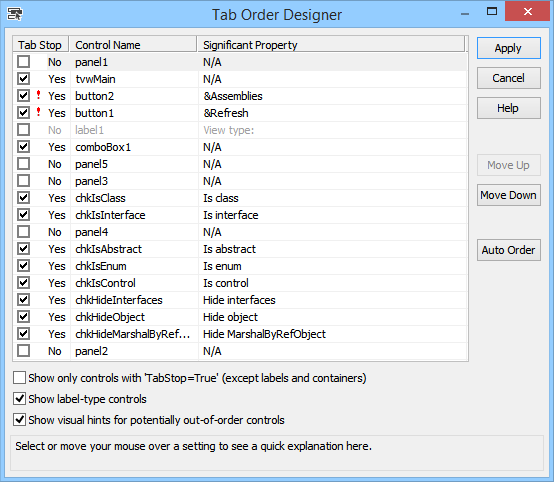
- [FIX] Tab Order Designer: Sometimes the final position of a moved control was incorrectly selected. Fixed.
What's New in 'CodeSMART 10 with VS10x Extensions'
(version 10.5, July 14, 2011)
- [FIX] CodeMAP: Incorrect tooltips for explicit property implementations.
- [NEW] CodeMAP: The 'Dark' theme was significantly updated.
- [NEW] CodeMAP: Properties now have a supplementary information suffix ({get}, {set} or {get, set}).
- [NEW] CodeMAP: Indexers now have parameter information as regular methods do.
- [NEW] CodeMAP: Delayed filtering (i.e. when entering a filtering text, it does not filter anymore at every keychar press but rather waits a little).
- [FIX] CodeMAP: Indexers (C#) had incorrect tooltips. Fixed.
- [NEW] CodeMAP: The scroll margin added by Code Map to the left of the vertical scroll bar in order to represent history and favorites items is now hidden if both 'add history items to scroll map' and 'add favorite items to scroll map' checkboxes are off.
- [FIX] CodeMAP: Reduced the interval of a delayed scan on VB documents in an attempt to solve some issues while editing code.
- [NEW] CodeMAP: New visuals, i.e. hot tracking for the current class-type container, dashed borders for region, implemented interface and named bookmarks containers, better gradients, better spacings.
- [FIX] CodeMAP: Some event handlers were still connected after the code window had been closed. Fixed.
- [FIX] CodeMAP: Revised default option values.
- [FIX] CodeMAP: Sorting did not work correctly if no grouping was set.
- [NEW] Comments Extender: Added an option to control whether or not a whitespace is reqired after the marker. In other words, if the option is 'on', and the entered text is //xComment, then the 'Comment' text will not be colored. However, if the entered text is //x Comment (with a space after x) then the 'Comment' text will be colored.
- [NEW] Comments Extender: Added options to control the availability of the small and extra small size comments (//-, //-- in C#/C++ and '-, '-- in VB).
- [NEW] Comments Extender: Redesigned the 'Options' dialog box.
- [FIX] Editor View Enhancer: Fixed some editor lockup conditions.
- [NEW] Editor View Enhancer: Added a document line count limiter, i.e. if the document exceeds that line count, VS10x Editor View Enhancer will not process it. Default limit value is 20,000 lines (see the 'Availability' tab in the VS10x Editor View Enhancer options dialog).
- [NEW] Editor View Enhancer: Added the option to show end-of-line-details only if the definition line of the corresponding code element is not visible (is outside the current viewport). Thus, code elements only a handful of lines long that are completely visible in the current viewport will not get an end-of-line detail.
- [NEW] Editor View Enhancer: The description field in end-of-line-details is now more meaningful.
What's New in 'CodeSMART 10 with VS10x Extensions'
(version 10.4, January 31, 2011)
- [FIX] General: Fixed a conflict with the Productivity Power Tools extension, which lead to having the Visual Studio IDE hang when loading a solution at startup (the "Preparing Solution" dialog was displayed and then the IDE would hang).
- [NEW] CodeMAP: The 'named bookmarks' concept was added so that user-defined locations can be represented in the Code Map. Simply use a comment syntax like (example in C#): "// BMK Some text here" (no quotes) in order to add a node with a 'Some text here' name in the immediate class-type parent.
- [NEW] CodeMAP: Advanced sorting implementation, with grouping by item scope and kind. See the "Sorting, Syncing" tab in the Code Map Options dialog box. You will still have to re-open the code windows after a sorting setting change in order to see it in action (yes, we will try to deal with this issue sometime).
- [NEW] CodeMAP: Multithreaded execution. Should bring tremendous speed improvements in code edit triggered refresh operations, thus making Code Map's impact on the UI thread absolutely minimal.
- [NEW] CodeMAP: Added 'Copy Name' to the popup menu, some folks might find this useful.
- [NEW] CodeMAP: Shift+Click (or Shift+DoubleClick, if single click navigation is not active) on a Code Map item can be used to navigate to end of the corresponding code element.
- [FIX] CodeMAP: Could not set/unset as favorite an item that was placed at root.
- [FIX] CodeMAP: Fixed some racing conditions when Code Map was used in VB documents.
- [NEW] Comment Extender: User-defined large / extra large comment sizes are now expressed relatively (i.e. by percentage) to the code window font size.
- [FIX] Comments Extender: User-defined large / extra large comment sizes were not saved/restored.
What's New in 'CodeSMART 10 with VS10x Extensions'
(version 10.3, December 14, 2010)
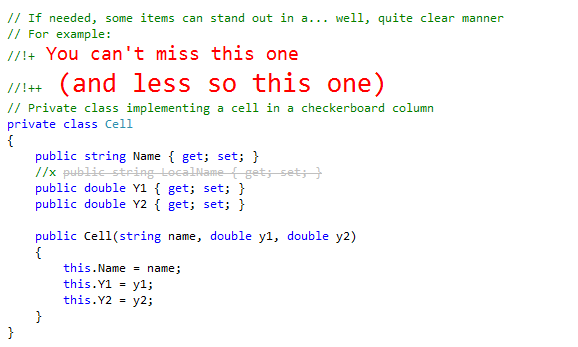
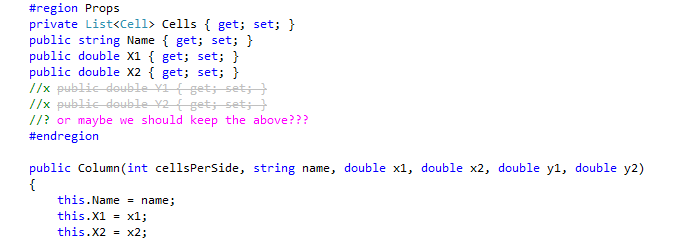
- [NEW SUBSYSTEM] A new extension was added to the package, 'VS10x Comment Extender'. Simply start your line comment with a special prefix in order to specify a certain comment style (text color, font size and style). For example, !+ (i.e. //!+ in C#, '!+ in VB) represents the 'important comment' style (i.e. red text color in large size). See the documentation for a complete reference. This will most surely get further refinements, but it's pretty useful right now as it is. Works with C#, VB, C++ and F#.
- [NEW] CodeMAP: The current item distinctive pointer is green now, such that it stands out more clearly.
- [NEW] CodeMAP: History icon is hidden now if the item is also marked as favorite (i.e. the item is no longer emphasized as 'recently accessed' since it is already emphasized as favorite, which has precedence).
- [FIX] CodeMAP: The Global History combo did open on mouse hover even if the VS window was in background (i.e. not active).
- [NEW] CodeMAP: A mouse left click can now be used to pin items in the Global History list.
- [NEW] CodeMAP: Local history is now aware of the last position (line/column) in each element that is in history.
- [NEW] CodeMAP: If autohide is set to 'on', added an option to skip auto-hiding as long as Code Map has keyboard focus.
- [NEW] CodeMAP: Reduced default item image opacity so that public items are better emphasized (if the option to use full opacity on public items is set to 'on'); also, reduced the region/interface background opacity.
- [NEW] CodeMAP: Show base name and eventual implemented interface name in class container title (configurable).
- [NEW] CodeMAP: Reorganized the 'Options' dialog.
- [FIX] CodeMAP: For code members in regions, marking and unmarking as favorite did not promote the appropriate favorite flag status to the region container (which is visible btw only when the region is collapsed).
- [FIX] Designer Explorer: Representing child controls in the Designer Explorer did not function properly anymore due to some issues detecting a control's base types. Fixed.
- [FIX] Editor View Enhancer: Registry keys were left open after being used for options storage and retrieval.
- [FIX] Editor View Enhancer: The default end-of-line comments opacity was extremely low, rendering this feature unusable on less performant TFT monitors.
- [NEW] Insert Debug Names: An item can now be inserted as a result of a list double-click.
- [NEW] Scroll Map: Hand mouse pointer on click sensitive areas of the scroll map.
What's New in 'CodeSMART 10 with VS10x Extensions'
(version 10.2, October 20, 2010)
- [FIX] General: Exception while restoring the main CodeSMART menu visibility.
- [FIX] General: Many operations ('Extended Find and Replace' for example) inappropriately skipped AssemblyInfo.vb and AssemblyInfo.cs files.
- [NEW] CodeMAP: Added the option to condense the typeface used for member-kind (i.e. functions, properties etc) item names. The option is turned off by default; to activate it, see the 'Container Visuals' section in the 'Code Map - Options' dialog. The condensing factor is configurable.
- [NEW] CodeMAP: Added the option to condense the typeface used for the parameter list. The condensing factor is configurable.
- [NEW] CodeMAP: Added the option to distinguish public members by using full opacity for the member kind image.
- [NEW] CodeMAP: Single-click navigation was added. The feature is turned on by default; it can be disabled from the VS10x Code Map Options dialog.
- [NEW] CodeMAP: Hot tracking (mouse hovered leaf-type element) was added.
- [NEW] CodeMAP: Functions that actually are event handlers now have distinctive icons.
- [NEW] CodeMAP: Double-clicking a region container now navigates to the region name (i.e. not changing its expanded state).
- [NEW] CodeMAP: Added (as an experimental feature) the option to progressively scale down nested type containers. The option is turned off by default; to activate it, see the 'Container Visuals' section in the 'Code Map - Options' dialog.
- [NEW] CodeMAP: Some other revisions in the user experience area (increased opacity for history and favorite icons, increased opacity for region and interface containers, display the region name in regular font size).
- [FIX] CodeMAP: 'Invalid cast' exception when reading method block highlighter configured background opacities (i.e. for history and favorite items).
- [FIX] CodeMAP: Incorrect item images in the Global History list.
- [FIX] CodeMAP: Sometimes when expanding/collapsing an item, the item was selected as well.
- [FIX] Editor View Enhancer: In VB, if a property was named using a reserved word (i.e. through the [reservedword] syntax) then the property name was incorrectly highlighted in code.
- [FIX] Extended Find and Replace: Replace functionality was not working correctly on components that were not open (i.e. their code editor window was not open).
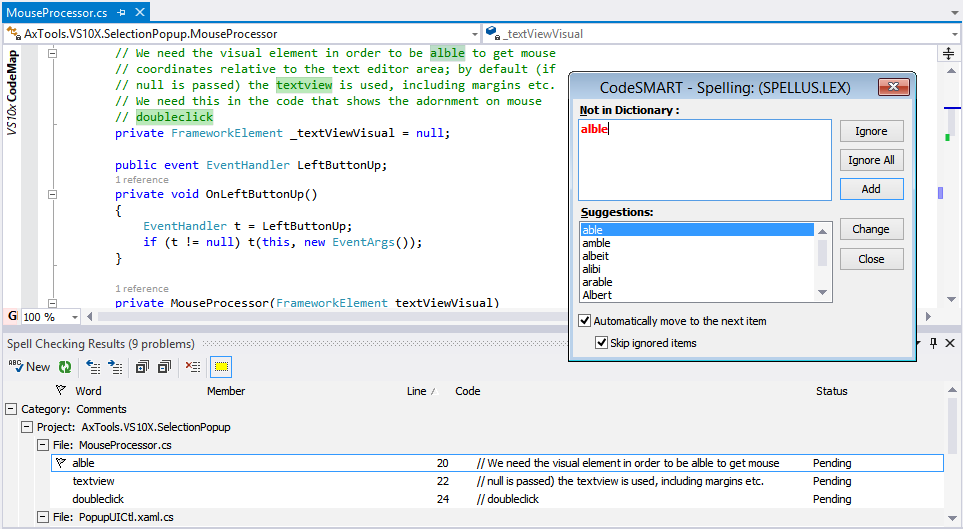
- [FIX] Selection Popup: Spelling correction in the Info dialog.
- [FIX] Super Copy Paste: The last line in a block of code was not properly indented after a paste operation when the source and destination indentation level were different.
- [FIX] Web Update: After updating to 10.1, if a regular (i.e. non-admin) account was used, the user was still prompted that an update is available (i.e. 10.1).
What's New in 'CodeSMART 10 with VS10x Extensions'
(version 10.1, October 07, 2010)
- [FIX] Setup: The extensions that are shipped with CodeSMART 10 (i.e. the VS10x Extensions) were unavailable on user accounts different than the administrative account used to install the product. Running 'Register CodeSMART on this User Account' did not fix the issue.
- [FIX] Setup: A minor step of the install routine failed on XP machines, as well as on other machines that missed a valid .NET Framework 2.0 runtime.
- [FIX] General: The help file was inaccessible from the CodeSMART main menu, i.e. from the 'Online Documentation' menu entry.
- [FIX] General: Context sensitive help was unavailable in dialogs, i.e. when clicking on the 'Help' button or pressing F1 while in dialogs.
- [FIX] General: Changed the minor version release system from FixPacks to a regular 10.x system, with the intention of releasing updates on a more frequent basis.
- [FIX] General: 'Invalid procedure call or argument' in certain situations when the current code element name was required.
- [NEW] CodeMAP: Increased the opacity of region and interface implementation containers.
- [NEW] CodeMAP: Added background color option (light or dark - some people like to use dark, Microsoft Expression Blend - like themes, for which Code Map was not optimized).
- [NEW] CodeMAP: Changed from color opacity to color intensity for themes; the move was necessary for subsequent color theme extensions, i.e. color layering could pose problems in many situations.
- [NEW] CodeMAP: Added a new theme, 'Dark', to go along with an eventual Microsoft Expression Blend - like dark theme.
- [NEW] CodeMAP: Added a new theme, 'By Item Type', where colors are assigned to containers based on their type (i.e. blue for classes, green for interfaces, gray for enums/structs).
- [NEW] CodeMAP: Added a 'Select In Code' popup menu option for region containers.
- [FIX] CodeMAP: Region copy operation was moving the editor caret to the start point of the region.
- [FIX] CodeMAP: Region copy/cut/remove did not work correctly in terms of whitespaces.
- [FIX] CodeMAP: The 'Options' dialog had some tab index problems.
- [FIX] CodeMAP: Fixed several problems in the global history system.
- [FIX] CodeMAP: Solved an issue where Cut and Remove options from the popup menu left an empty line at the place of operation.
- [NEW] CodeMAP: Region names text opacity is now customizable.
- [FIX] CodeMAP: Solved a problem where Cut, Copy, Remove and Select In Code operations (from the context menu) did not include item XML comments.
- [FIX] CodeMAP: Solved a problem where collapsing a container that corresponded to a class, enum etc whose code was on a single line in the editor (so it wasn't actually collapsible from the editor point of view) yielded having the parent namespace being collapsed.
- [FIX] CodeMAP: Solved a problem where if outlining sync from the editor to the Code Map was on, expanding/collapsing in the editor did not trigger Code Map container expand/collapse if the underlying item was not a class, but an enum/struct/etc.
- [FIX] CodeMAP: Many times when clicking on item containers, the Click+MouseHover hot tracking system was accidentally activated. A minimum threshold movement system was implemented on the Y axis.
- [FIX] CodeMAP: Solved UI problems in the Global Solution History subsystem.
- [NEW] CodeMAP: Some finishing touches for the UI: container slight gradient backgrounds for non-alternating themes, global history container slight gradient background.
- [NEW] CodeMAP: The filter textbox can now be configured to be permanently visible (i.e. its auto-hide feature can be disabled).
- [NEW] CodeMAP: Added an option to show type-level variables and constants; also applies to enum items. Currently, the "show" alternatives are: always, only if public, none (default is "only if public").
- [NEW] CodeMAP: Added an option to control whether interface containers are shown or not; default is to have them displayed. If these are not shown, members belonging to implemented interfaces will be mounted directly in the containing types.
- [NEW] CodeMAP: Reorganized the "Options" dialog to include a "Grouping" tab.
- [NEW] CodeMAP: Added a "Clear Filter" button to the filter textbox.
- [NEW] CodeMAP: Added expand/collapse animations.
- [NEW] CodeMAP: Implemented cut/copy/remove for region containers (so that you can cut/copy/remove entire regions).
- [NEW] CodeMAP: Favorite and local history items in collapsed containers can now be easily found, as collapsed containers containing a favorite item or item in local history will also get emphasized accordingly.
- [NEW] CodeMAP: Changed favorite and local history items emphasis style from the not-so-standard (in terms of Windows UI) "distinctive forecolor" to distinctive images at the right of the item's graphical representation, with history image opacity reflecting the item's recentness. Also, as a result, an item's complete state (i.e. both favorite and in local history) is represented.
- [FIX] Editor View Enhancer: On some systems, using a reserved word as code element name in Visual Basic lead to an incorrect code element name highlight being applied.
- [FIX] Exception Handling System: 'Class not registered. You need the following file to be installed on your machine. MSSTDFMT.DLL.'
What's New in 'CodeSMART 10 with VS10x Extensions'
(initial release, August 20, 2010)
- Ported the applicable subsystems from CodeSMART 2009 for VS.NET towards the new Visual Studio 2010 IDE. Painful process...
- The Code Explorer has been replaced by the Code Map. We consider the move towards the Code Map to be both healthy and wise, and hope you will come to appreciate the navigational and representational qualities of this new tool.
- Some other newly-developed VS10x Extensions work in conjunction with the Code Map to provide various useful navigational features, like background highlighting and position emphasizing in the editor vertical scroll bar for recently accessed/edited methods, as well as for favorite methods.
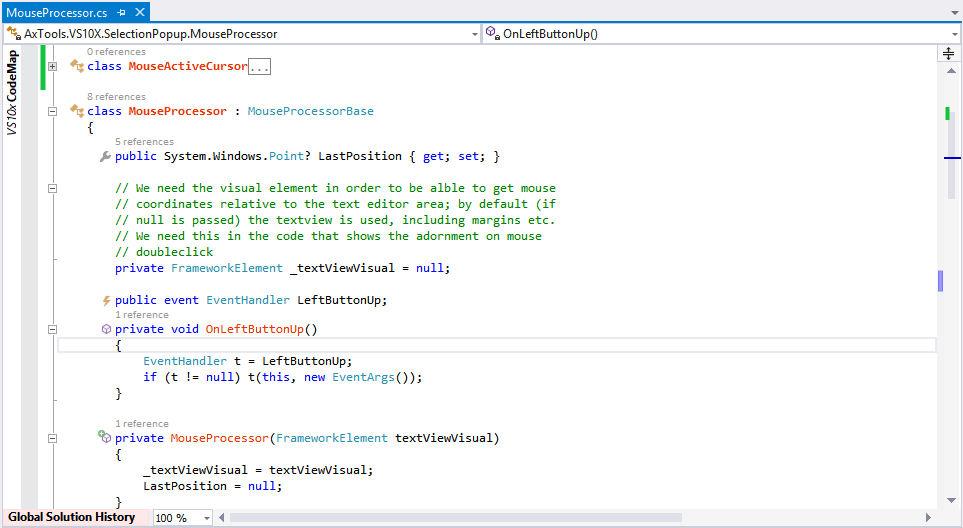
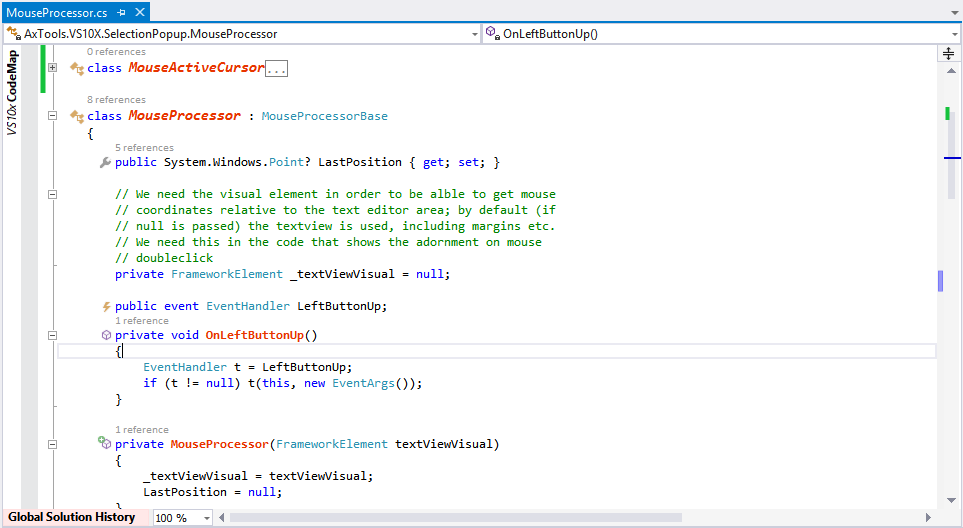
- The Code View Assistant has been replaced by the Editor View Enhancer. It does the member name emphasizing (bold red-colored class names and red-colored member names) you grew accustomed with from earlier CodeSMART versions, plus it places a code element type icon on the left-hand side of the code element definition. Also, end-of-block details, with clickable hotspots are available.
- The "Method Block Highlighter" can be used to set a custom background color for any method, thus emphasizing its location in code.
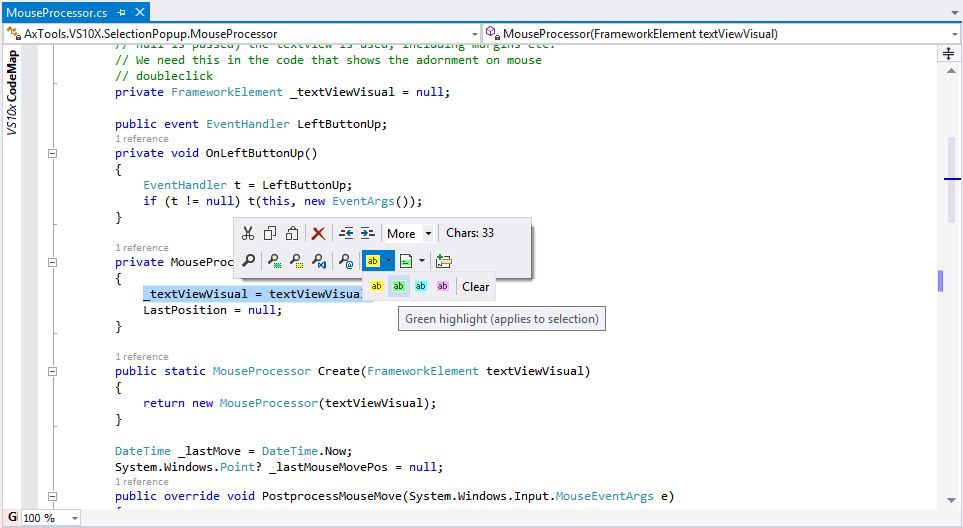
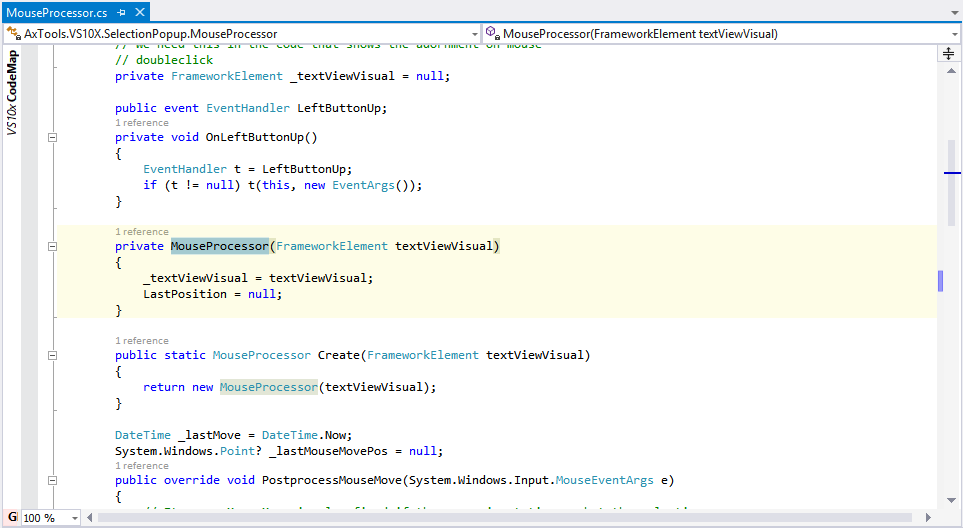
- Discretionary code highlighting can be used to emphasize code areas, feature brought by the "Code Highlighter". It's like using a yellow marker (other colors are available also) on a piece of paper.
- All subsystems that use a result list (for example, the Extended Find tool) now feature match position emphasizing in the editor vertical scroll bar, of course besides the match background highlight which was present in previous versions.
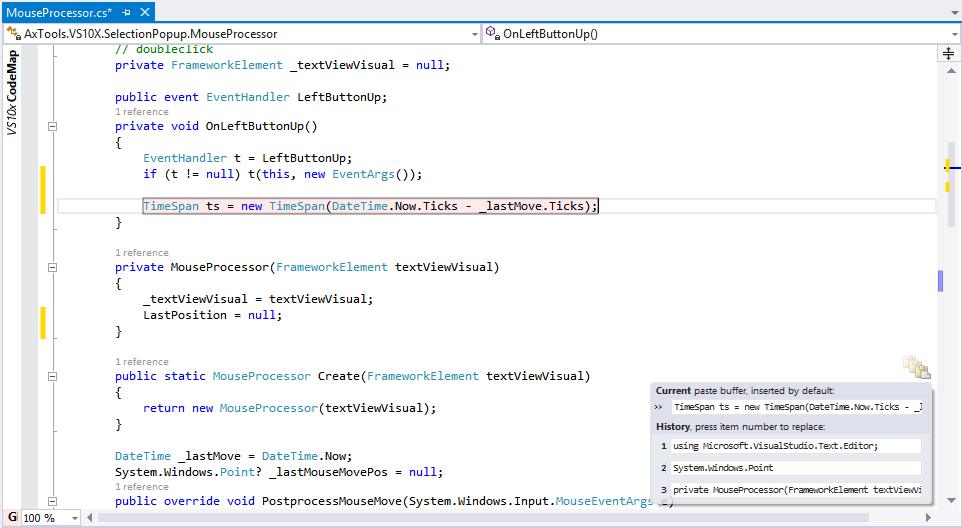
- The multiple copy and paste buffers system now has a potential replacement, "Super Copy Paste". For now both systems are in place and functional.
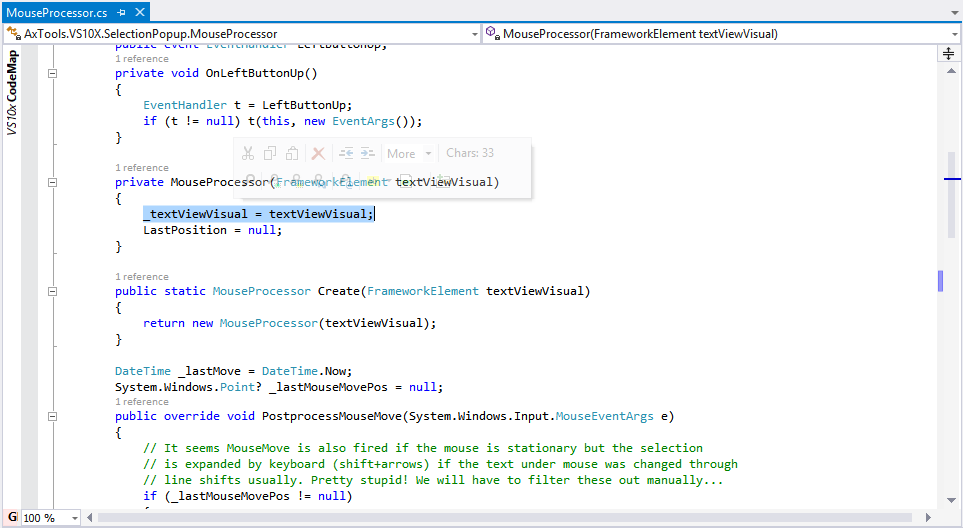
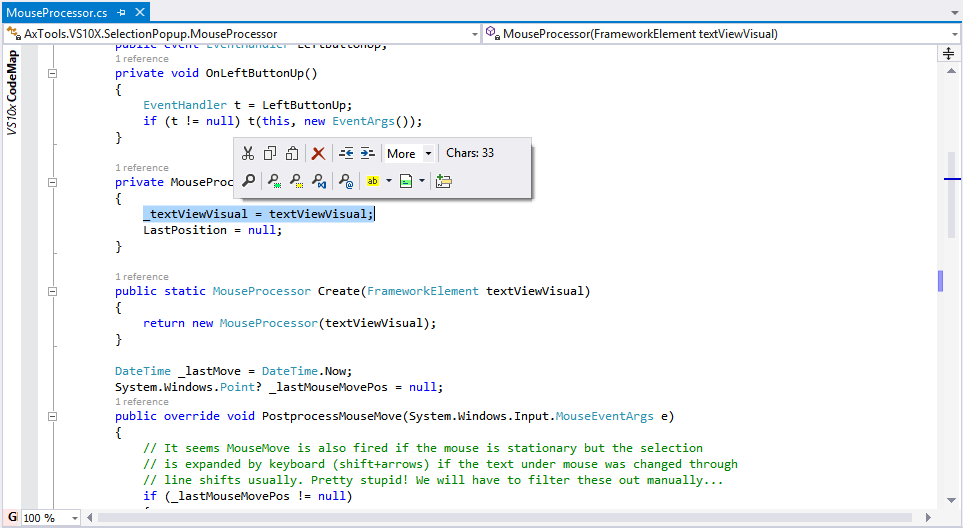
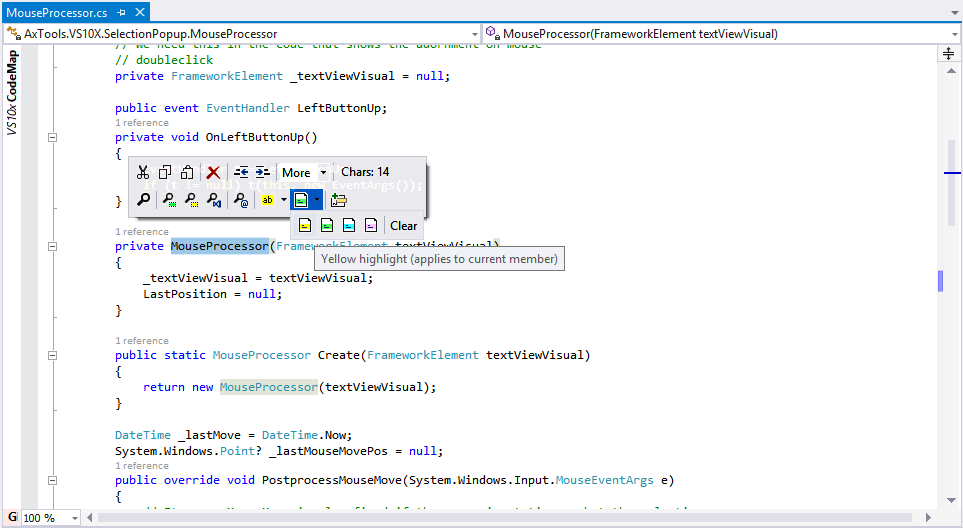
- A new subsystem, "Selection Popup", has been included, featuring a popup toolbar that appears near the text selection that was made in the editor. General selection commands and information are available, as well as some CodeSMART commands.
- The Find Locally tool has an additional solution-wide scope, thus it became "Find Selection" with document or solution scopes, each with its own toolbar/menu button because this is designed as a quick search and thus quick access was considered critical.
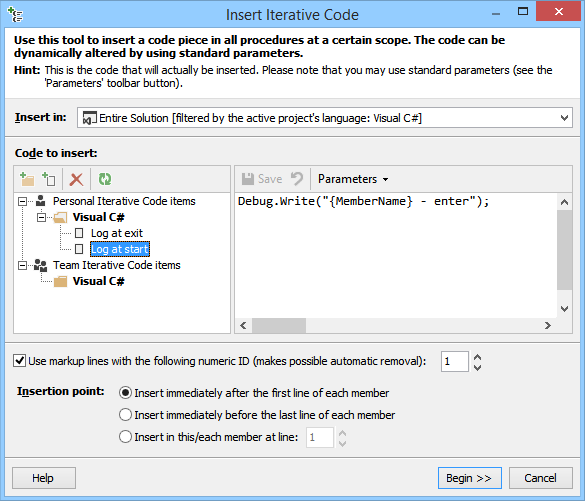
- "Insert Debug Names" is a simple yet handy extension that allows for current method name to be inserted as a string at the cursor location by using an IntelliSense-like combo. We're open to suggestions as what might be handy in such a list.
- A new AutoText item can now be easily created from the current selection.